
Home is the first page after you sign in. It looks different for a firm and for a business, but the idea is the same: what needs a decision from you, then the numbers you’d otherwise go looking for.

If you run a business
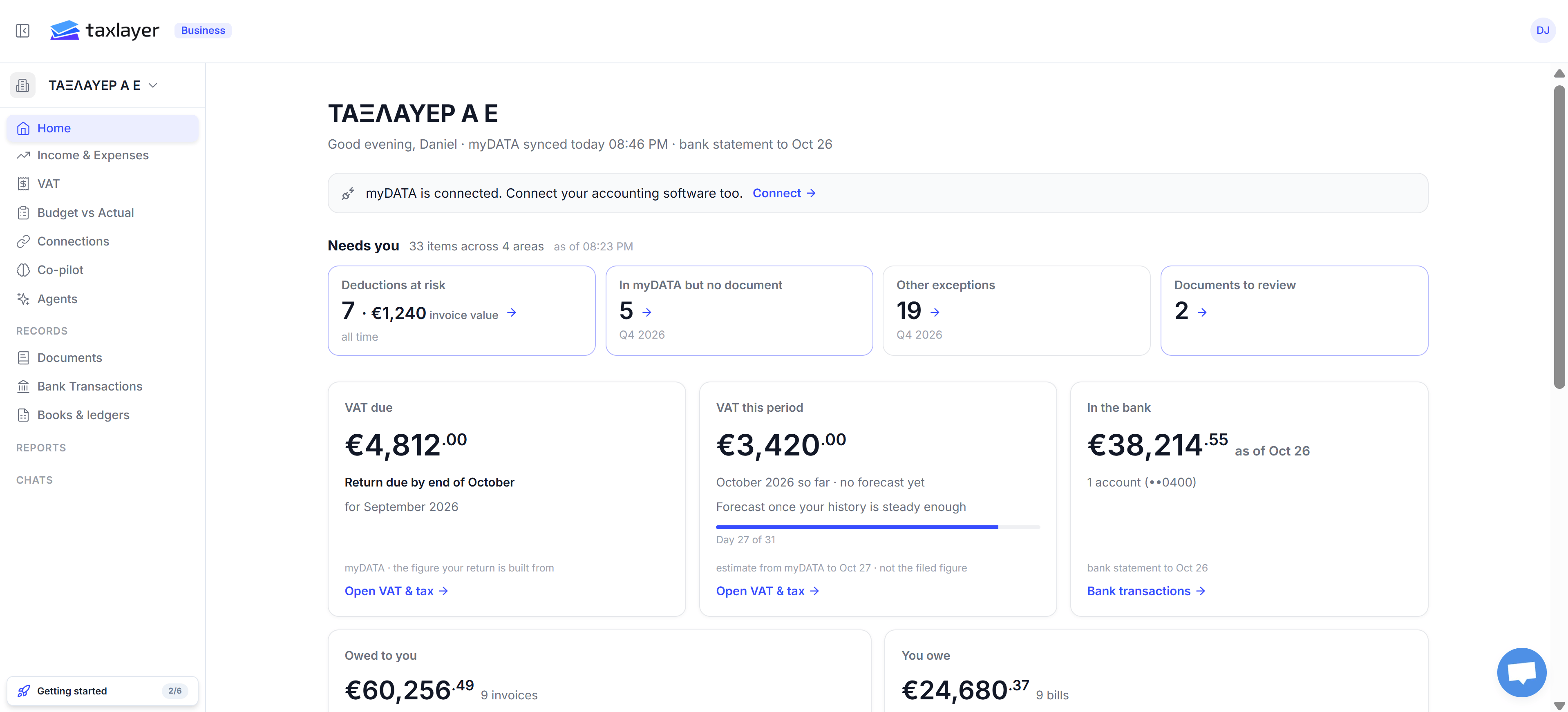
Business Home page with Needs you tiles and VAT due, VAT this period, In the bank, Owed to you and You owe cards

Home for a business: Needs you, then VAT, bank and what's owed

The line under your business name tells you how fresh the data is: myDATA synced today 08:46 PM · bank statement to Oct 26. If a source isn’t connected yet, a banner offers the next one — for example myDATA is connected. Connect your accounting software too. with a Connect link. Needs you — four tiles, each a count with an arrow into the Co-pilot list behind it:
  • Deductions at risk — expenses where you may lose the VAT deduction, with the invoice value at stake. Counted all time.
  • In myDATA but no document — a supplier or customer filed something with AADE and TaxLayer has no matching document from you. This quarter.
  • Other exceptions — everything else the Co-pilot flagged this quarter.
  • Documents to review — documents that parsed with a question you need to answer.
The cards underneath:
  • VAT due — the result of your last finished period, with Return due by end of …. Built from myDATA, not from what you filed. Open VAT & tax goes to the breakdown.
  • VAT this period — the running figure for the period you’re in, with a day counter. A forecast appears once your history is steady enough; until then it says no forecast yet. It is an estimate, not the filed figure.
  • In the bank — your latest statement balance and how many accounts it covers. Bank transactions opens the account.
  • Owed to you — unpaid sales invoices, and how many.
  • You owe — unpaid supplier bills, and how many.
A Getting started checklist sits at the bottom of the sidebar until you’ve finished the six setup steps.

If you’re a firm

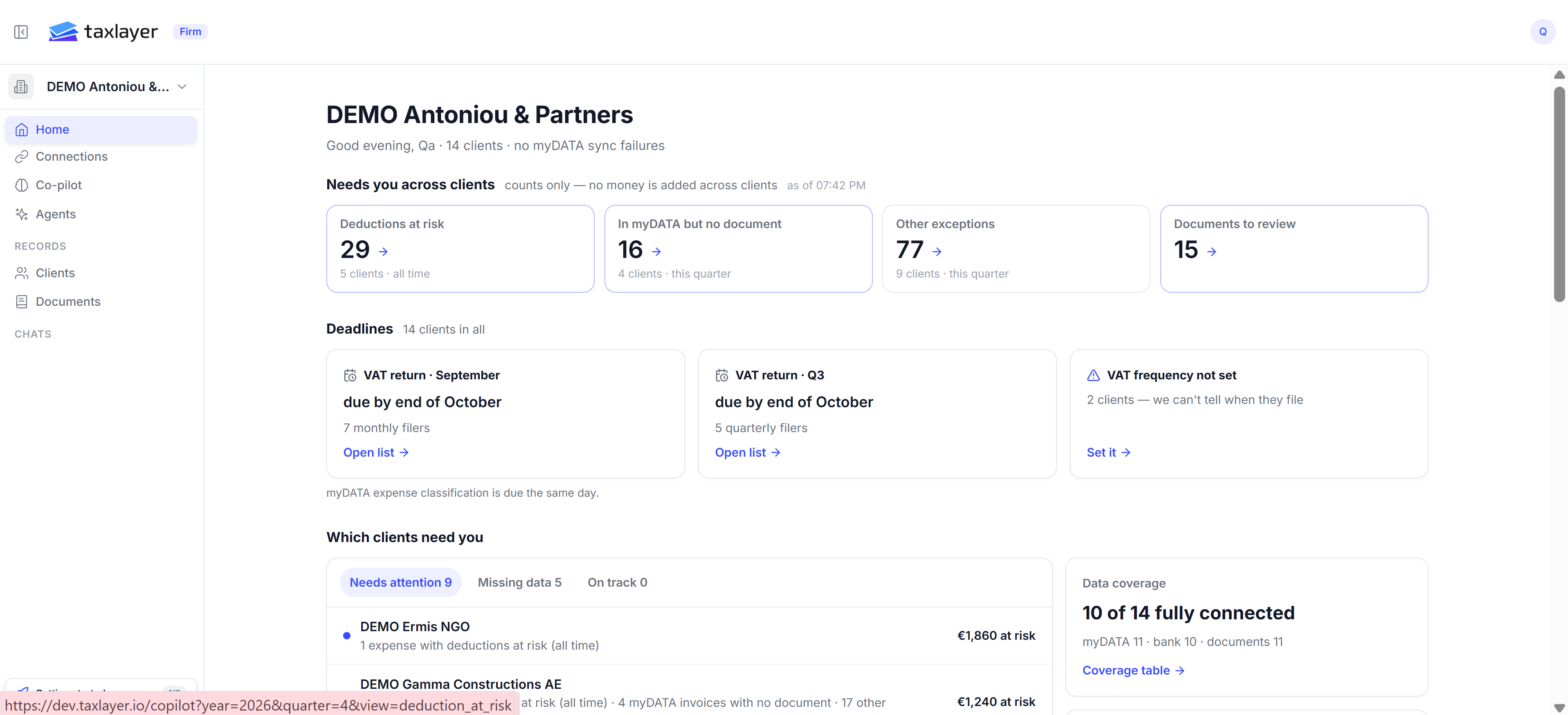
Firm Home page with Needs you across clients tiles, Deadlines cards, Which clients need you list and Data coverage

Home for a firm: counts across clients, deadlines, and which clients need you

The line under the firm name gives the client count and whether any myDATA sync failed. Needs you across clients — the same four tiles, but as counts only: no money is added across clients. Each tile says how many clients it covers and the period (all time or this quarter). Click the arrow to open the Co-pilot filtered to that view. Deadlines — one card per filing group:
  • VAT return · ‹month› — due by end of …, with how many monthly filers you have. Open list shows them.
  • VAT return · Q‹n› — the same for quarterly filers.
  • VAT frequency not set — clients where we can’t tell when they file. Press Set it and choose a frequency on each client’s Finance & Tax tab; until then those clients are missing from the deadline cards.
myDATA expense classification is due the same day as the return. Which clients need you — three tabs: Needs attention, Missing data and On track. Each row gives the client, the reason in one line (1 expense with deductions at risk · 4 myDATA invoices with no document) and the money at risk. Click a row to open that client. Data coverage — how many clients have all three sources connected (10 of 14 fully connected) and the split by source (myDATA · bank · documents). Coverage table lists it per client, which is the quickest way to see which client is missing which connection.

Where the figures come from

Everything on Home is read from the sources you’ve connected — myDATA, bank statements and uploaded documents. Home does not use your filed returns, so a VAT figure here can differ from what your accountant actually submitted. Each card says its source and its as-of time in small print; that is the time to quote if a number looks wrong.