

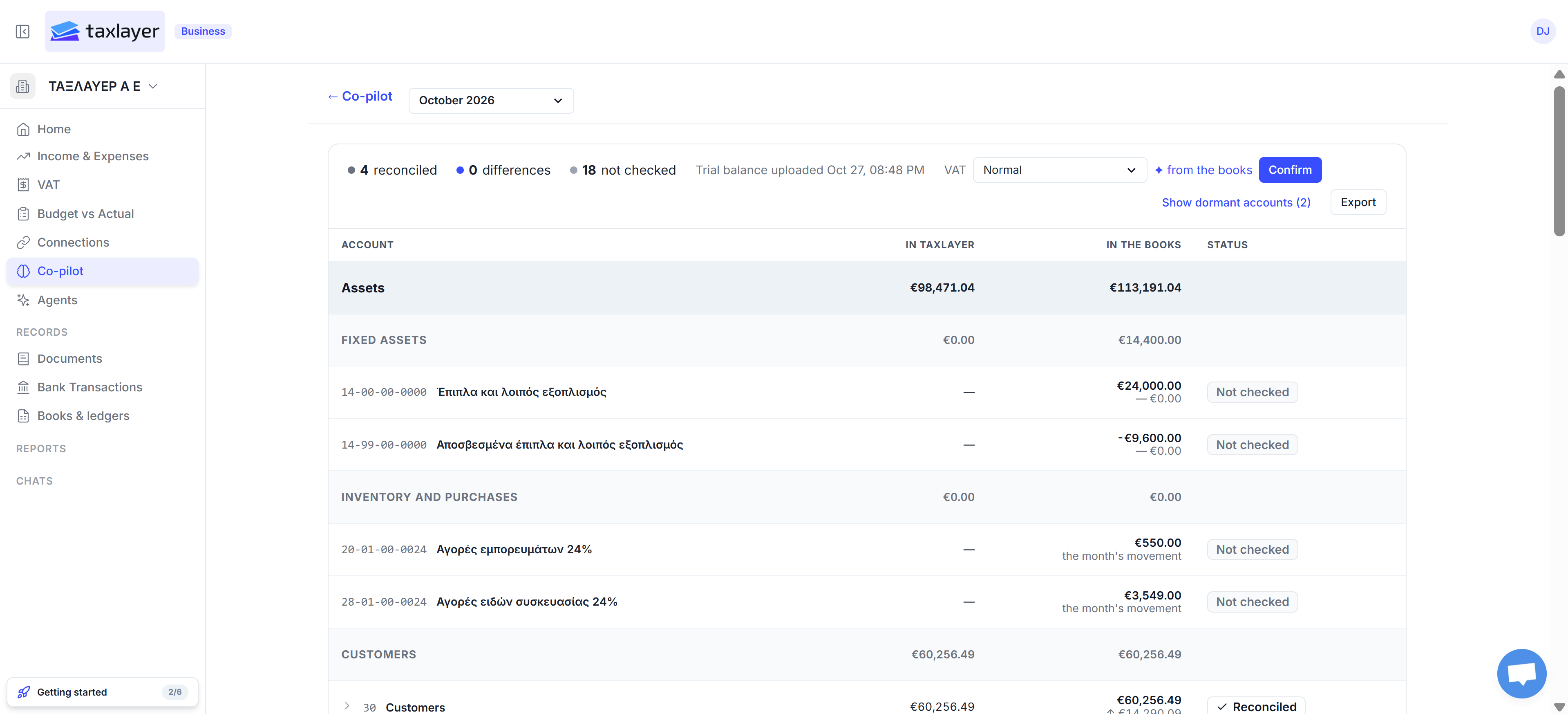
Balance reconciliation: your books beside what TaxLayer can prove, account by account
The summary line
- ‹n› reconciled · ‹n› differences · ‹n› not checked — where every account stands.
- Trial balance uploaded ‹date› — the file the In the books column comes from. To replace it, upload a new one in Books & ledgers.
- VAT — the VAT regime TaxLayer uses when it checks the VAT accounts. ✦ from the books means TaxLayer read it from your trial balance; press Confirm if it’s right, or pick another from the list.
- Show dormant accounts (‹n›) — accounts with no balance and no movement are hidden; this shows them.
- Export — the whole comparison as a spreadsheet.
The table
Accounts are grouped the way your chart groups them (Fixed assets, Inventory and purchases, Customers, and so on), with a subtotal on each group.- In TaxLayer — what TaxLayer can prove for that account from your sources. A ✦ ‹amount› suggested figure is TaxLayer’s own reading, waiting for you to confirm it.
- In the books — the figure from your trial balance. For purchase and expense accounts it’s the month’s movement, not the running balance, because that’s what TaxLayer can check.
- Status:
- Reconciled — the two agree.
- Difference €‹amount› — they don’t. Open the account to see why.
- Not checked — TaxLayer has nothing to check this account against yet (fixed assets and depreciation, for example, usually stay here).
Opening an account
Click an account with a difference to open it.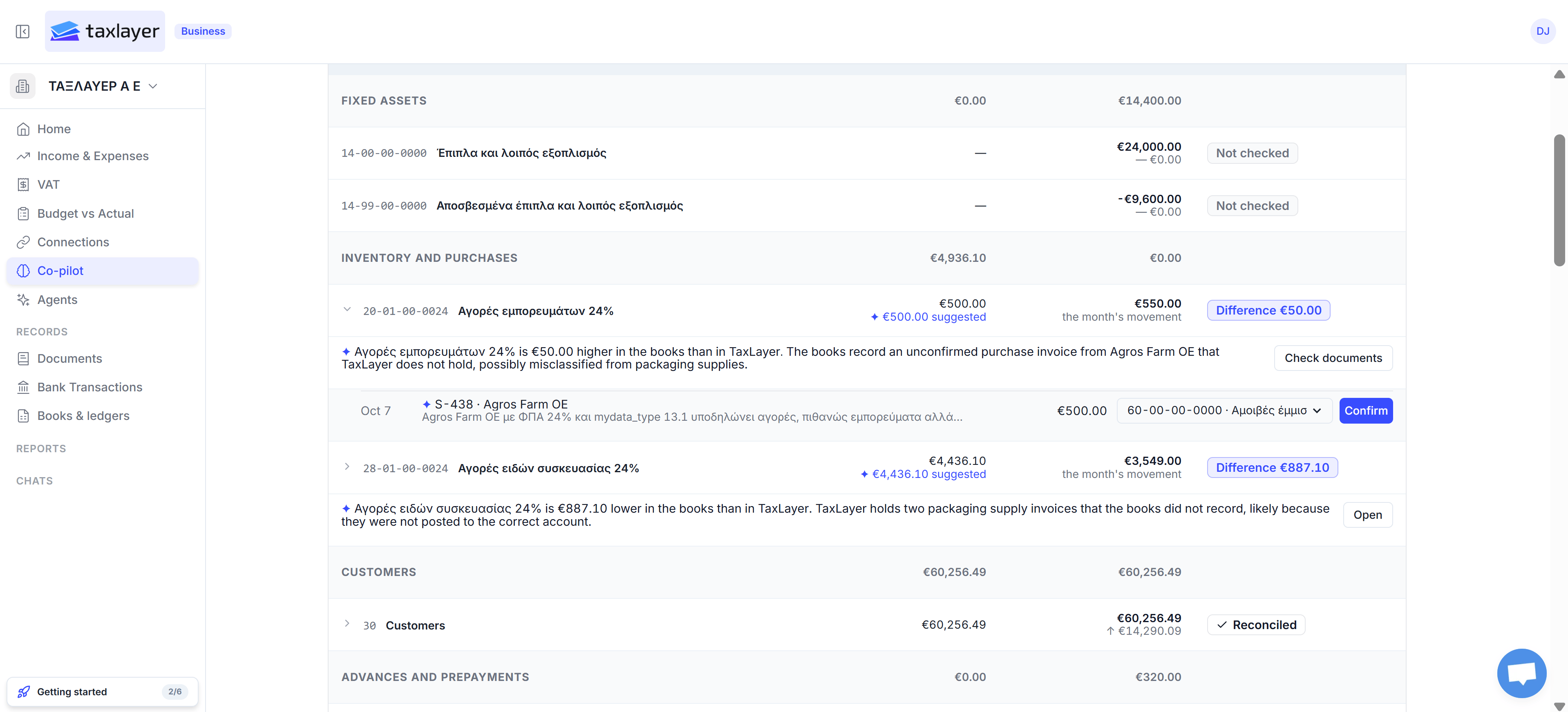
An account opened: the explanation, then the transactions behind it
Reading a difference
A difference means your books and the evidence disagree for that account. The usual reasons:- A document is booked to a different account in each.
- The books include something TaxLayer has no evidence for — an invoice nobody has sent in yet.
- TaxLayer holds documents the books haven’t recorded yet.
- The trial balance is for a different month, or is a movements file rather than a trial balance — check which box you used in Books & ledgers.
All clients (firms)
Firms can choose All clients in the client picker to see every client at once: how many accounts are reconciled, how many have differences and how many aren’t checked. Click a client name to open their sheet.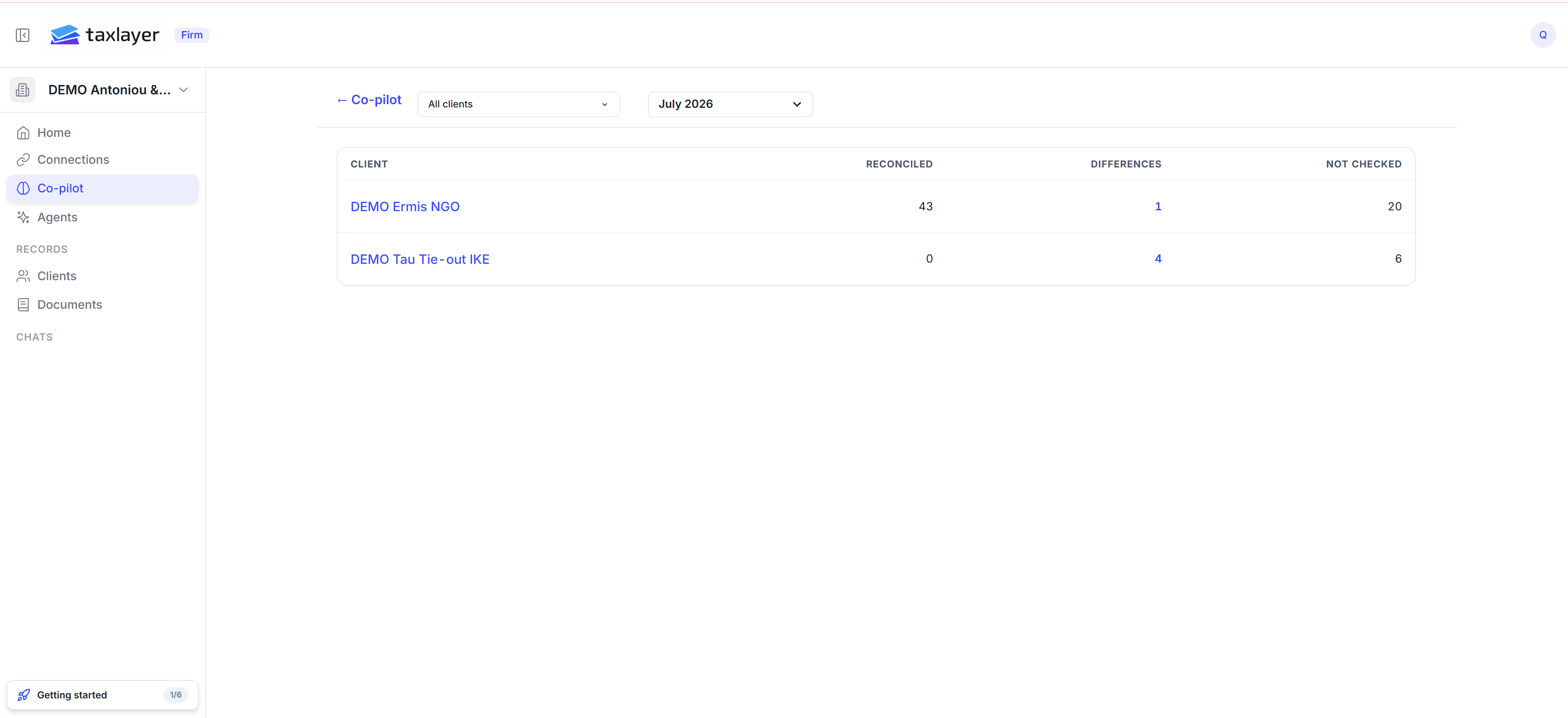
All clients: where each client stands this month
What you need loaded
- A chart of accounts and a trial balance (Books & ledgers).
- Bank statements, documents and myDATA — the more of these TaxLayer has, the more accounts it can check.