

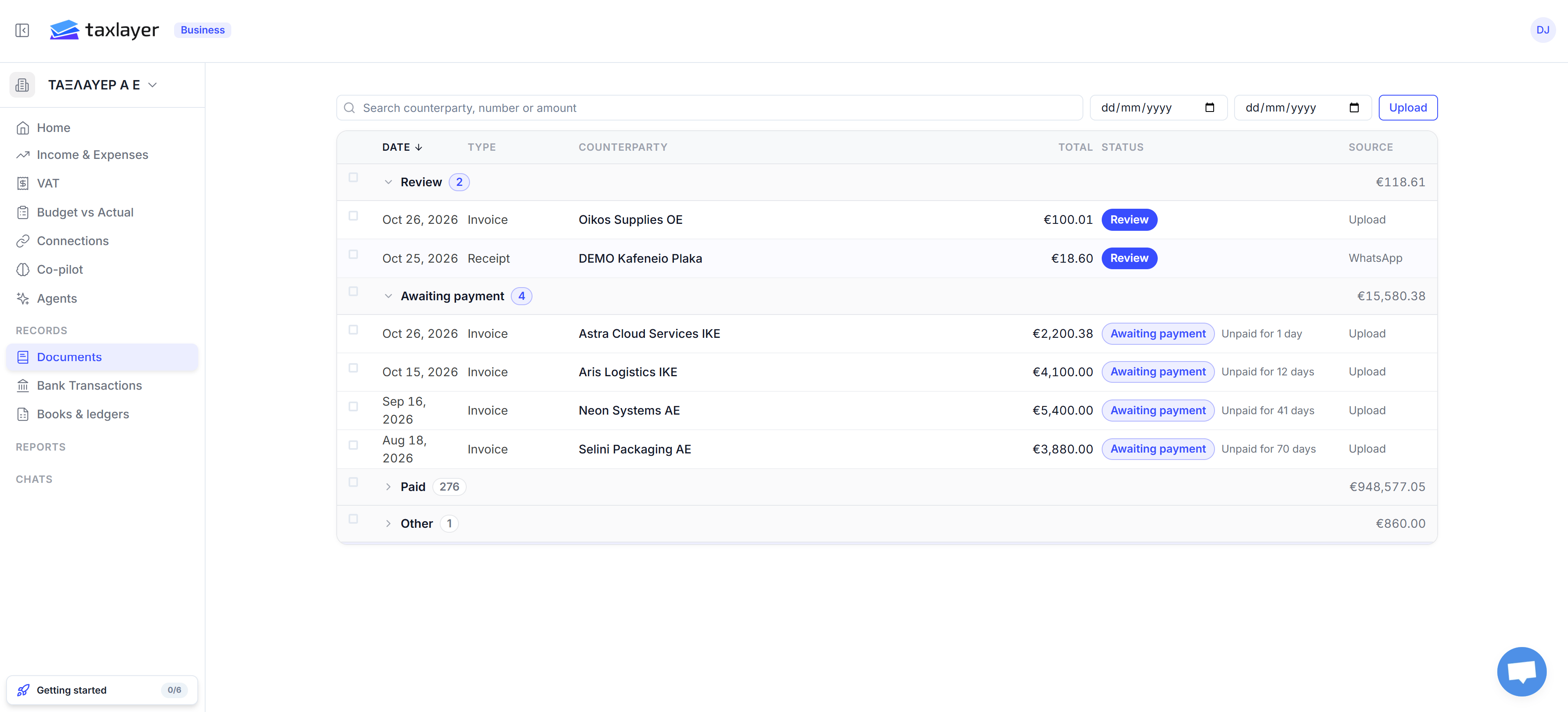
The groups
Each group is collapsible, with a count and the group’s total on the right. Columns: Date · Type · Counterparty · Client · Total · Status · Source (where it came from: Upload, WhatsApp, email, myDATA).
Search by counterparty, number or amount, or narrow by date range at the top.
Status badges
The document page
Click any row. Four tabs:- Data — document details (type, number, date, currency, AADE MARK, notes), the counterparty’s name and ΑΦΜ, the client it’s matched to, and the line items with net, VAT and gross. Hover a value and press the pencil to correct it. Editable until the document is posted to an accounting system.
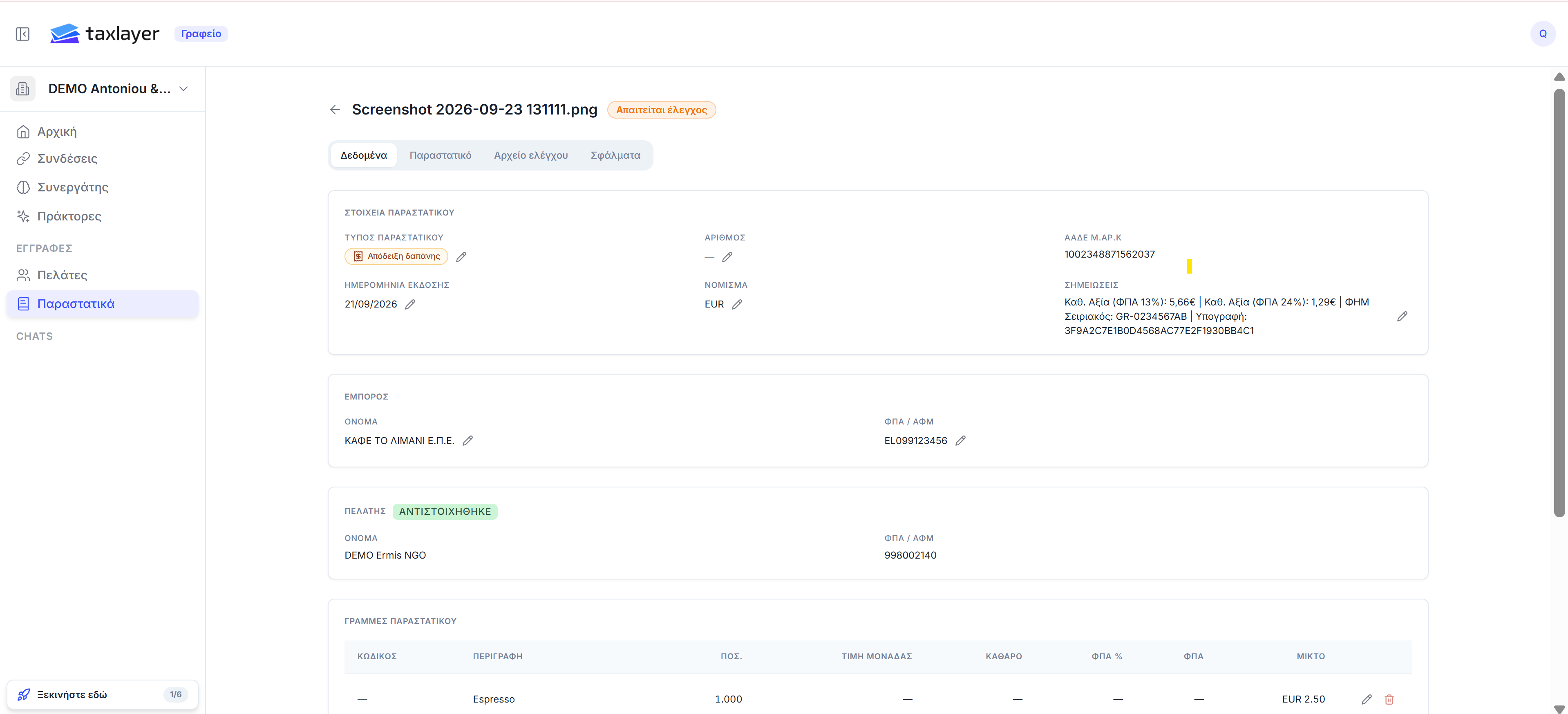
Data tab (shown in Greek)
- Document — the original file; Open file opens it in a new tab.
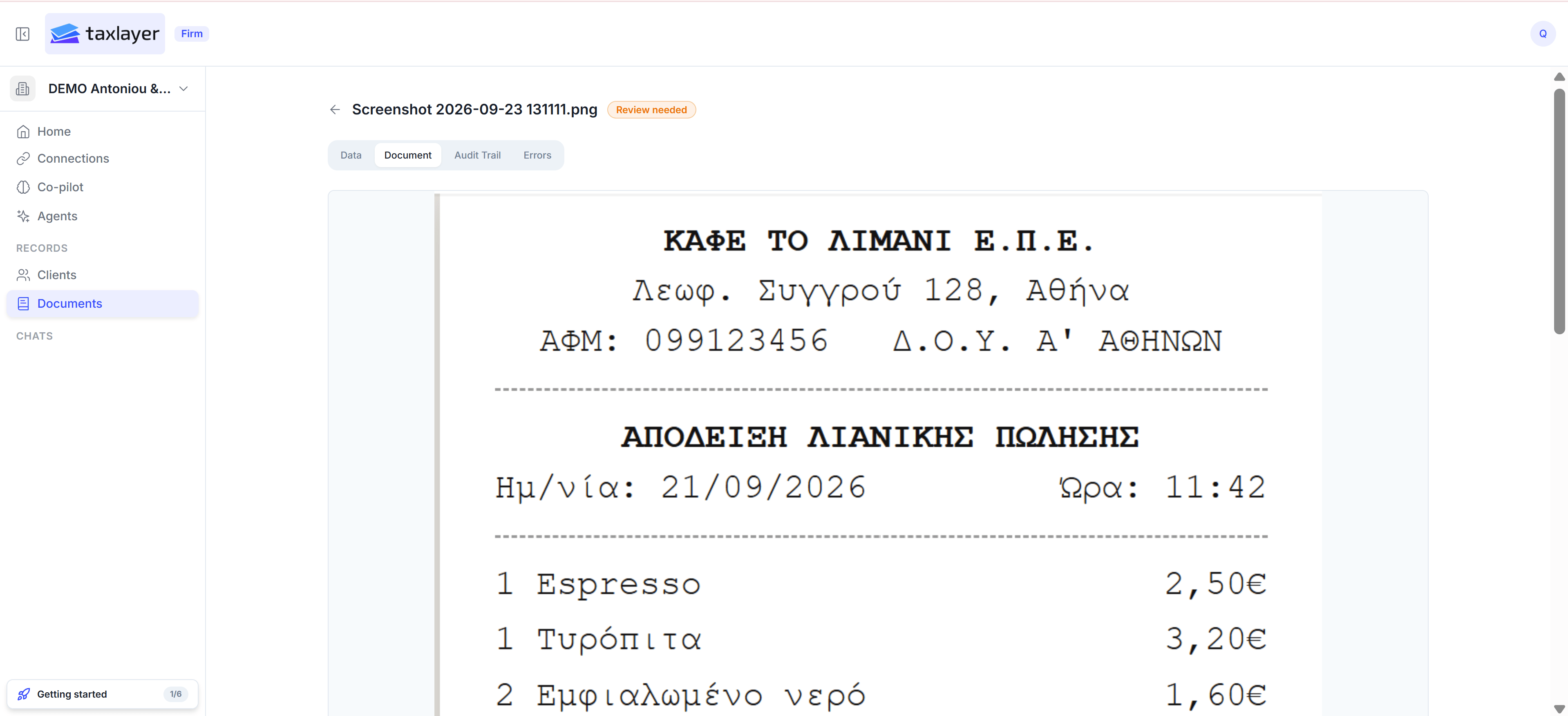
Document tab
- Audit Trail — each processing step, with time and who or what did it.
- Errors — one card per problem (Required fields are missing — The pipeline could not find: invoiceNumber), each with a Resolved button. When every card is resolved the document leaves the Review group.
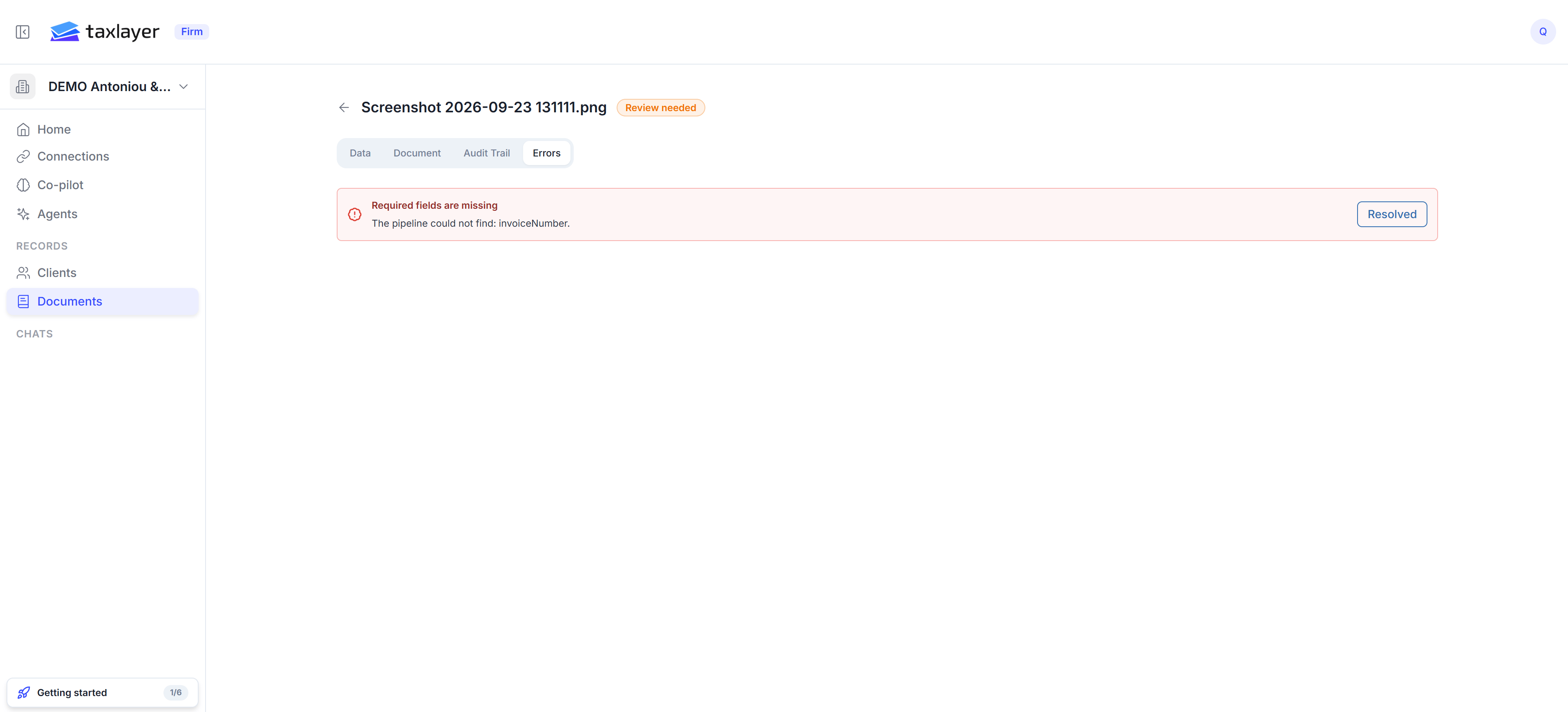
Errors tab